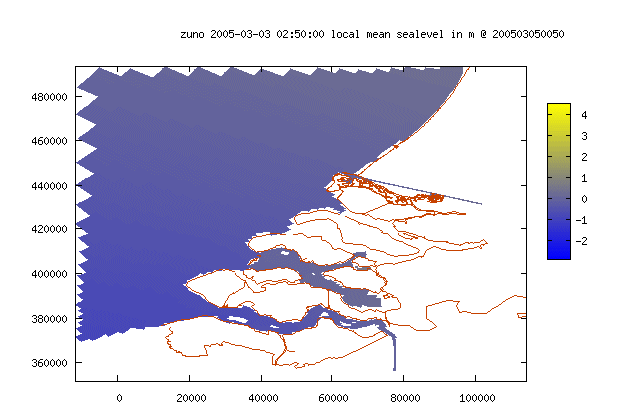
See also the example of a rectangular grid for the same area.
Each source has its own default coordinate system. The coordinate systems are defined in the database.
Curvilinear grid back
See also the example of a rectangular grid for the same area.
The history only contains most recent data collected from available analyses. Thus if a new analysis becomes available every 3 hrs, the history contains 3 hrs from the last analysis, 3hrs from the one but last analysis, 3hrs from the analysis before that one and so on, generating a set of data continuous in time, containing the most recent available data.
Identical window backAnother window in which exactly the same parameters are used (the screen is cloned) is opened. This is useful for comparing two settings which might be slightly different. Thus if one of the windows is kept untouched and the settings in the other window are varied, hopping between the two windows will give a good impression of the differences in the results.
Interactive geographical selection backA box appears on top of the grid. The box can be moved by holding down the left mouse button and dragging. If two graphs are shown at the same time only the left graph will be active, but the selection will effect both graphs. To increase or decrease the size of the selection box hold down the CTRL-key and the left mouse button and drag.Double click the left mouse button to activate the selection. To return to the complete grid size, select ‘Complete grid’ from the Region list box.
Predefined area backThe coordinates of the predefined area are set in the database by the application manager
Rectangular grid back
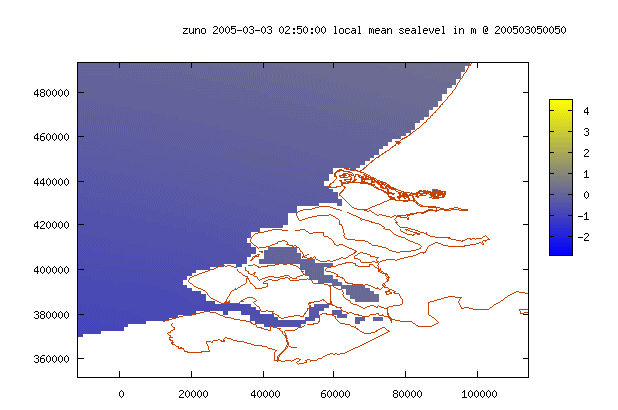
See also the example of a curvilinear grid for the same area.
If the result or page is not refreshed upon changing one of the properties (eg the image size or graph scale), it is possible to force refreshing the page by pressing the refresh button.